
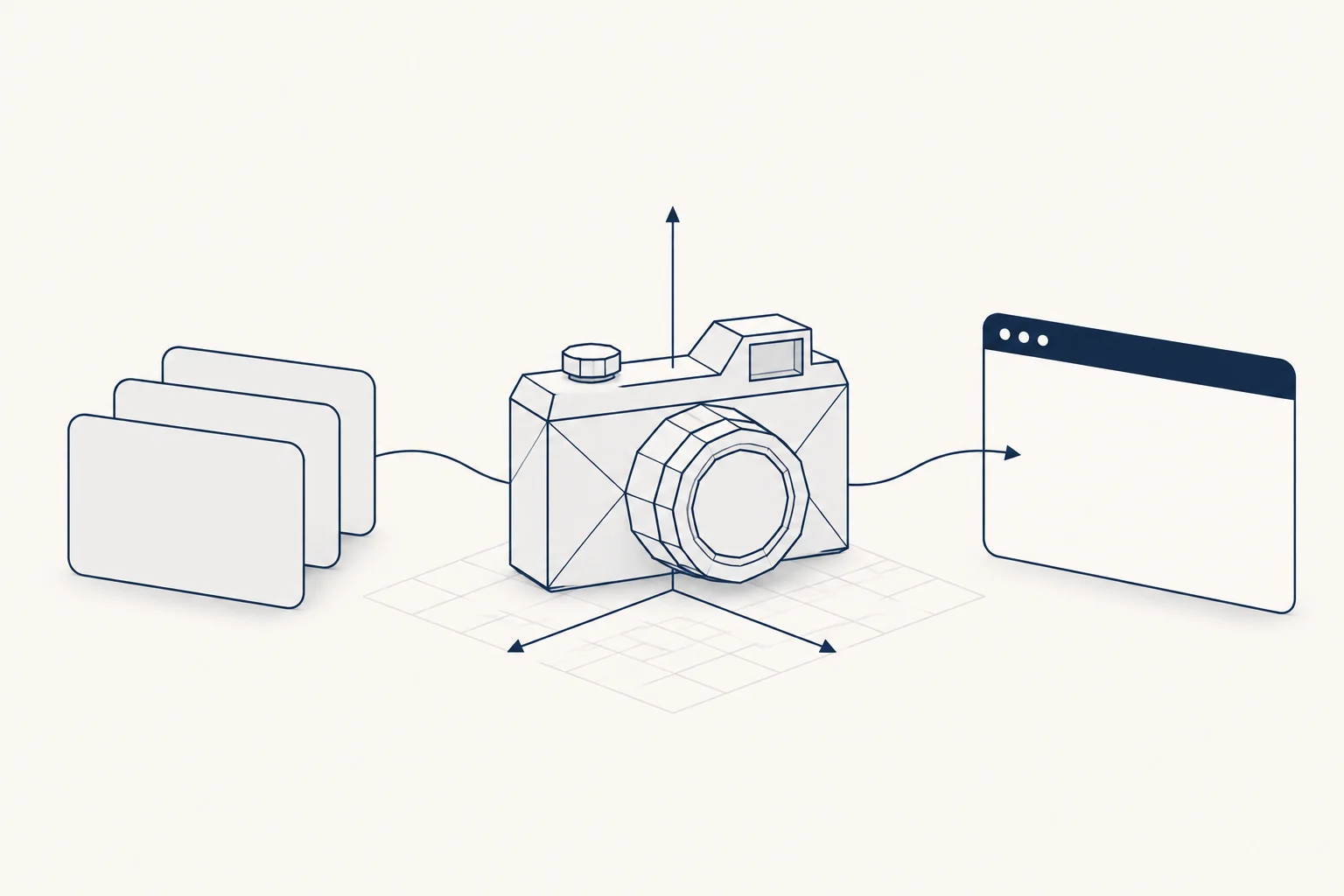
The best places to get glTF models for three.js and Blender are Poly Haven for realistic CC0 props, Kenney for CC0 low-poly game kits in GLB, Quaternius for free stylized packs, Sketchfab for the widest range (licence varies per model), and the Khronos glTF Sample Assets for testing features. After you download, the work is the same everywhere: load the file with GLTFLoader, compress it with gltf-transform or gltfpack, and check scale, orientation and materials before it ships.
This guide compares the sources by licence and file format, then walks through loading, compression, a quick audit in code and a Blender export checklist. Licences and formats below were read on each site's own pages on 2026-11-10.
Where to download glTF and GLB models, compared
The format question has two parts. A .glb is one binary file with geometry and textures inside. A .gltf is a JSON file that points to a separate .bin and image files. three.js loads both with the same loader; GLB is easier to move around and serve.
| Source | Licence | What you download | Good for |
|---|---|---|---|
| Poly Haven | CC0, any use, no credit needed | .gltf + .bin + JPG textures at 1k to 8k; also .blend, FBX, USD |
Realistic props, furniture, nature, scanned objects |
| Kenney | CC0, credit optional | GLB alongside FBX and OBJ | Low-poly game kits: cities, cars, dungeons, UI props |
| Quaternius | Quaternius licence: free commercial use, no credit, no reselling the assets | Varies by pack, check the download | Stylized characters and environment packs |
| Sketchfab | Set per model: CC BY, CC BY-NC, CC0 and others, or a paid Store licence | glTF conversion of every downloadable model, plus the original upload | Anything you cannot find elsewhere |
| Khronos glTF Sample Assets | Set per model (for example CC BY 4.0) | .gltf, embedded .gltf and .glb variants |
Testing loaders, PBR features and extensions |
Notes on each, with the source for every claim:
- Poly Haven. The Poly Haven licence page says every asset is CC0: commercial use, no attribution, redistribution allowed. Models come as separate glTF files at several texture resolutions, so you will usually pack them into a GLB yourself (shown below). Start with the 1k or 2k textures for the web.
- Kenney. Kenney's support page states the assets are CC0 and crediting "Kenney" is optional, and asks you not to use the Kenney logo. The import guide explains the packs ship glTF as GLB next to FBX and OBJ, and that GLB is the smaller file. If a pack has a
Texturesfolder, keep it next to the models. - Quaternius. The FAQ still mentions CC0, but the current Quaternius Asset License (version 1.0, updated 8/28/2026) sets the terms: commercial use is free and needs no credit, but you may not resell or redistribute the assets as assets. The licence in force when you got a pack is the one that applies, so save a copy with your files.
- Sketchfab. Sketchfab's glTF page says every downloadable model is offered as glTF in addition to the original format, and that over 800,000 models are free to download under Creative Commons. That last part is the catch: CC BY needs a visible credit, and NC (non-commercial) variants rule out client work and paid products. Read the licence line on each model page before you download, and check the result, because automatic conversions sometimes need material fixes.
- Khronos sample assets. The glTF-Sample-Assets repository is a curated set that shows glTF features (transmission, clearcoat, skinning, morph targets, Draco). Each model lists its own licence. Use it to prove your pipeline works, not as production art. The older glTF-Sample-Models repository is archived; there is also a browser for the set.
Where HorizonX fits
The HorizonX 3D models hub lists 520 objects (trees, plants, rocks and props, count checked 2026-11-10). Each product page, for example the vintage camera, describes a glTF 2.0 model with 2K PBR textures at real-world scale in metres, licensed CC0 1.0, with a setup guide and licence file included. Downloading needs a HorizonX plan (Starter is $24.99 a month). The pages describe the files as glTF 2.0; they do not say whether the download is a single GLB, so plan to run the packing step below either way.
To be straightforward about it: the catalogue's names and collection tags match Poly Haven's CC0 model library, which you can download free from Poly Haven. The HorizonX hub is useful if you already have a plan and want these objects next to the rest of your assets, with a setup guide and licence file in one place.
Load a glTF model in three.js
Current three.js releases import add-ons from three/addons/... (the package maps that path to examples/jsm). The GLTFLoader docs cover the loader; the DRACOLoader and KTX2Loader pages cover the decoders it can use. This module loads a model, lights it with a room environment, centres it on the floor and frames the camera:
import * as THREE from 'three';
import { GLTFLoader } from 'three/addons/loaders/GLTFLoader.js';
import { DRACOLoader } from 'three/addons/loaders/DRACOLoader.js';
import { KTX2Loader } from 'three/addons/loaders/KTX2Loader.js';
import { MeshoptDecoder } from 'three/addons/libs/meshopt_decoder.module.js';
import { OrbitControls } from 'three/addons/controls/OrbitControls.js';
import { RoomEnvironment } from 'three/addons/environments/RoomEnvironment.js';

const canvas = document.querySelector('#viewer');
const renderer = new THREE.WebGLRenderer({ canvas, antialias: true });
renderer.setPixelRatio(Math.min(window.devicePixelRatio, 2));
renderer.setSize(canvas.clientWidth, canvas.clientHeight, false);
renderer.toneMapping = THREE.ACESFilmicToneMapping;

const scene = new THREE.Scene();
const pmrem = new THREE.PMREMGenerator(renderer);
scene.environment = pmrem.fromScene(new RoomEnvironment(), 0.04).texture;

const camera = new THREE.PerspectiveCamera(40, canvas.clientWidth / canvas.clientHeight, 0.01, 100);
const controls = new OrbitControls(camera, renderer.domElement);

const loader = new GLTFLoader()
  .setDRACOLoader(new DRACOLoader().setDecoderPath('/draco/'))
  .setKTX2Loader(new KTX2Loader().setTranscoderPath('/basis/').detectSupport(renderer))
  .setMeshoptDecoder(MeshoptDecoder);

const gltf = await loader.loadAsync('/models/camera.glb');
const model = gltf.scene;
scene.add(model);

// Put the model on the floor at the origin and frame the camera around it.
const box = new THREE.Box3().setFromObject(model);
const size = box.getSize(new THREE.Vector3());
const center = box.getCenter(new THREE.Vector3());
model.position.sub(center);
model.position.y += size.y / 2;

const radius = size.length() / 2;
camera.position.set(radius * 1.5, radius * 1.2, radius * 2.5);
camera.near = radius / 100;
camera.far = radius * 100;
camera.updateProjectionMatrix();
controls.target.set(0, size.y / 2, 0);
controls.update();

renderer.setAnimationLoop(() => {
  controls.update();
  renderer.render(scene, camera);
});
What the setup lines do:
- Decoders. Wiring Draco, KTX2 and meshopt up front means the same loader opens any file the compression step produces. Copy
node_modules/three/examples/jsm/libs/draco/gltf/to/draco/andnode_modules/three/examples/jsm/libs/basis/to/basis/on your server, or point the paths at a CDN copy that matches your three.js version. If you never use Draco or KTX2, drop those lines. - Environment. PBR materials from glTF look flat or black without something to reflect.
RoomEnvironmentgives neutral studio reflections without downloading an HDR file. - Framing. Fitting the camera to the bounding box means a model that turns out to be 100 times too large or small is still visible, which makes the scale problem easy to spot instead of showing an empty canvas.
- Pixel ratio. Capping at 2 keeps high-density phones from rendering three or four times the pixels.
What was checked: the module above and the two smaller snippets below were saved as .mjs files and passed node --check (Node 22.23.4) on 2026-11-10, which confirms the syntax only. They were not run in a browser for this article, and every import path was confirmed to exist in the three.js package (version 0.187.0 on npm).
Compress the file: Draco, meshopt and texture formats
Downloaded models are rarely web-sized. Textures are usually most of the weight, so compress both geometry and images.
glTF Transform is a command-line tool for inspecting and optimizing glTF files:
npm install --global @gltf-transform/cli

# What is inside: meshes, vertex counts, textures and their sizes
gltf-transform inspect model.glb

# Pack a .gltf + .bin + textures folder (Poly Haven style) into one GLB
gltf-transform copy model.gltf model.glb

# Compress geometry with meshopt and textures to WebP
gltf-transform optimize model.glb model-web.glb --compress meshopt --texture-compress webp
How to choose the options, based on the tool's own help text:
--compressacceptsdraco,meshopt(the default) orquantize. Draco compresses geometry; meshopt and quantization compress geometry and animation, so pick meshopt for animated or skinned models.--texture-compressacceptswebp,avif,ktx2orauto. WebP and AVIF make the download smaller. KTX2 stays compressed on the GPU, which lowers video memory use, so it suits scenes with many large textures.--texture-sizedefaults to 2048, which caps textures at 2048 pixels.optimizealso simplifies meshes, joins and flattens nodes, and merges materials by default. If your code looks up parts by name (a lid that opens, a screen you swap), add--join false --flatten false, and add--simplify falsewhen you need every edge.
gltfpack from meshoptimizer is the other common choice:
gltfpack -i model.glb -o model-web.glb -cc -tc
-cc applies stronger meshopt compression (the docs advise serving the file with gzip on top), -tc converts textures to KTX2, and -tw converts them to WebP instead. Files from either tool need the matching decoder in three.js, which is why the loader above registers all three.
Before and after, open both files in gltf.report or the Khronos glTF Sample Viewer and compare them side by side. Compression artifacts show up first on smooth curved surfaces and fine text in textures.
Check scale, orientation and materials
The glTF 2.0 specification fixes a few conventions: units are metres, +Y is up, and the front of an asset faces +Z. Most problems with downloaded models are a file that breaks one of those, or a material that did not convert. This function prints what you need to know after loading:
import * as THREE from 'three';

export function auditModel(root) {
  const size = new THREE.Box3().setFromObject(root).getSize(new THREE.Vector3());
  const materials = new Set();
  const textures = new Set();
  let triangles = 0;

  root.traverse((obj) => {
    if (!obj.isMesh) return;
    const geo = obj.geometry;
    triangles += (geo.index ? geo.index.count : geo.attributes.position.count) / 3;
    for (const mat of [].concat(obj.material)) {
      materials.add(mat);
      for (const key of ['map', 'normalMap', 'roughnessMap', 'metalnessMap', 'aoMap', 'emissiveMap']) {
        if (mat[key]) textures.add(mat[key]);
      }
    }
  });

  console.log('size in metres (x, y, z):', size.x.toFixed(3), size.y.toFixed(3), size.z.toFixed(3));
  console.log('triangles:', triangles, 'materials:', materials.size, 'textures:', textures.size);
  for (const tex of textures) {
    console.log(tex.name || '(unnamed)', tex.image?.width, 'x', tex.image?.height, tex.colorSpace);
  }
}
Call auditModel(gltf.scene) after loading. The triangle count treats instanced meshes as one copy. Then read the output against this list:
- Scale. A chair should be under a metre tall. If it reports 90, the file was exported in centimetres; fix it at the source in Blender rather than with
scale.setScalar(0.01)in code, so every later export is right. - Orientation. If the model lies on its back, the exporter did not convert Z-up to Y-up. If it faces away from the default camera, its front was modelled toward the wrong axis.
- Materials. Many materials for one small object usually means unmerged imports, and each one costs a draw call. A material with no textures and a white base colour often means the textures failed to load: check the browser's network panel for 404s on
.gltffiles with separate images. - Texture size. Anything above 2048 pixels is rarely worth it on the web.
- Colour space. Base colour textures should report
srgb; normal, roughness and metalness maps should not. GLTFLoader sets this correctly for files it loads.
The common mistake comes when you swap a texture in by hand, for example a label or a screen. Set the colour space and the flip yourself, because glTF UVs expect unflipped images:
const texture = await new THREE.TextureLoader().loadAsync('/textures/label.jpg');
texture.colorSpace = THREE.SRGBColorSpace; // base colour maps are sRGB
texture.flipY = false; // glTF UVs expect unflipped textures
mesh.material.map = texture;
mesh.material.needsUpdate = true;
Run the file through the Khronos glTF Validator as well. It flags invalid data, missing files and unsupported extensions that three.js may skip without an obvious error.
Blender export checklist for glTF
Settings follow the Blender manual's glTF 2.0 page. Run through this before every export:
- Apply transforms. Select the objects and use Object > Apply > All Transforms, so scale reads 1.0 and rotation 0.
- Use metres. Scene Properties > Units: Metric, Unit Scale 1.0. Model at real size.
- Face the front toward -Y in Blender. With +Y Up enabled, Blender's -Y becomes glTF's +Z, the direction the spec calls the front.
- Keep +Y Up checked in the export dialog's Transform section.
- Use Principled BSDF with image textures. The exporter understands Principled BSDF and Unlit setups. Procedural node textures do not export; bake them to images first. Images must be PNG or JPEG.
- Pack metallic and roughness correctly. glTF reads roughness from the green channel and metallic from the blue channel of one image. Connect a separate normal map in tangent space.
- Apply modifiers in the export dialog, or the exported mesh will miss your mirror, bevel or subdivision.
- Limit what you export. Use Include > Selected Objects, Visible Objects or Active Collection so stray cameras, lights and hidden helpers stay out.
- Pick glTF Binary (.glb) as the format for the web. Leave Draco off here if you will run gltf-transform or gltfpack afterwards, so compression happens once.
- Verify the result in gltf.report, the validator, or the three.js editor before it reaches your app.
Keep a record of where each model came from
A scene with ten models from four sources has four licences. Record, for each file: source URL, author, licence and its version, the date you downloaded it, and any credit you owe. CC BY models need the credit wherever the work is published, and the new Quaternius terms bind you to the version you accepted. The visual asset handoff checklist has a format for this that also covers images and fonts. If the 3D scene is a decorative background, plan a static image for devices that cannot run it, as in the guide to a React WebGL background with a static fallback.
FAQ
Is GLB better than glTF for three.js?
They hold the same data and load with the same GLTFLoader. GLB is a single file, so it is easier to cache, upload and move, and nothing can go missing. Use .gltf with separate files when you want to edit textures by hand or share images between models.
Can I use Sketchfab models in a commercial project?
Only if that model's licence allows it. CC BY and CC0 allow commercial use (CC BY with credit); NC variants do not. Paid Store models come with Sketchfab's Standard or Editorial licence, which have their own terms on Sketchfab's licence page.
Why does my glTF model look black or too dark in three.js?
Usually there is no light or environment. PBR materials need something to reflect: add an environment map as in the loader example. If only some parts are black, check for missing textures or inverted normals in the audit output.
Do I need Draco?
No. It only reduces geometry size and adds a decoder download. For texture-heavy models, WebP or KTX2 textures save more. Meshopt is the default in gltf-transform and also handles animation.
Next step
Pick a source from the table, pack and compress the file, run the audit and fix anything at the source in Blender. If you already have a HorizonX plan, the 3D models hub collects CC0 objects in glTF with 2K PBR textures, a setup guide and a licence file for each.