Overview
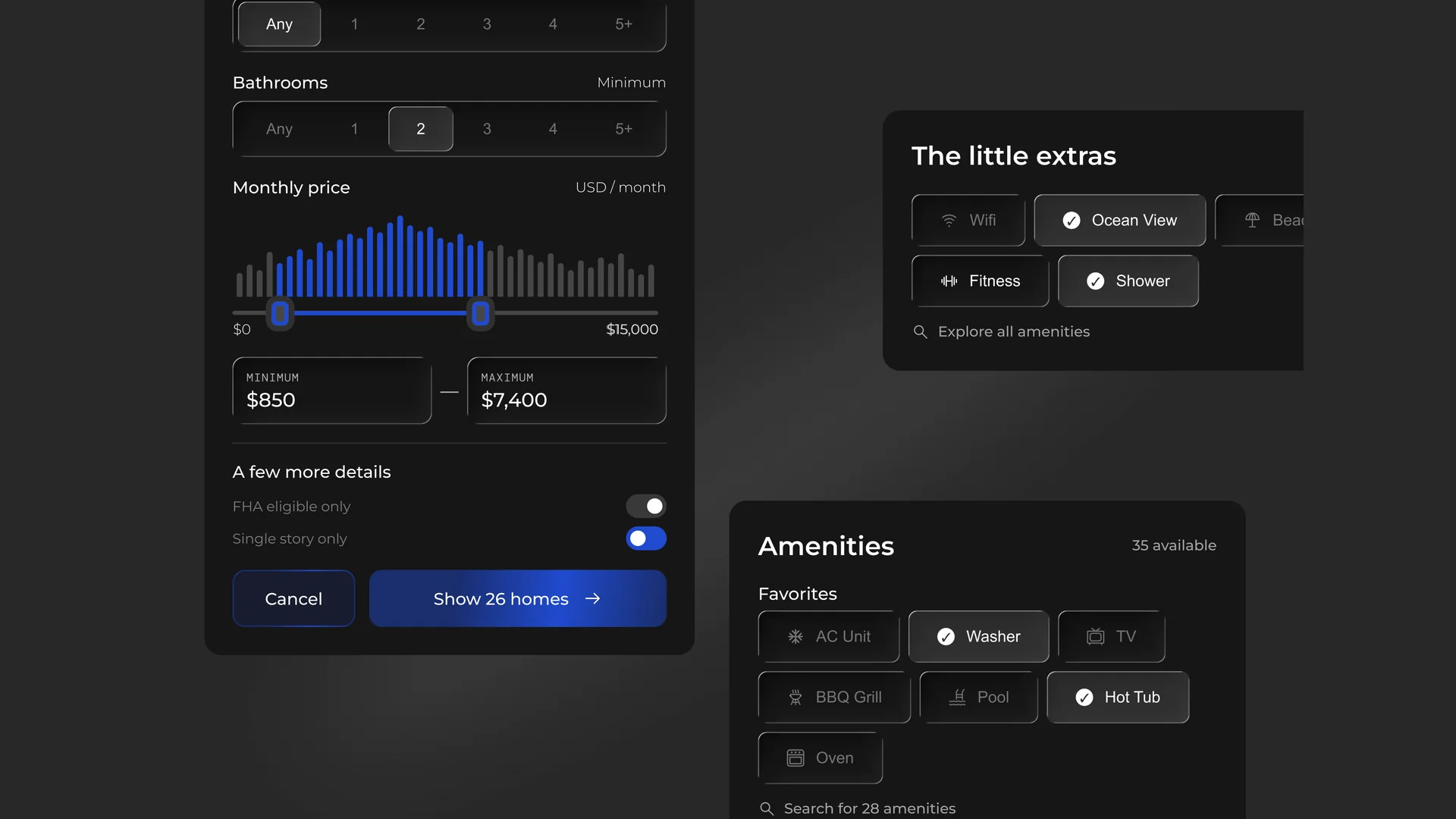
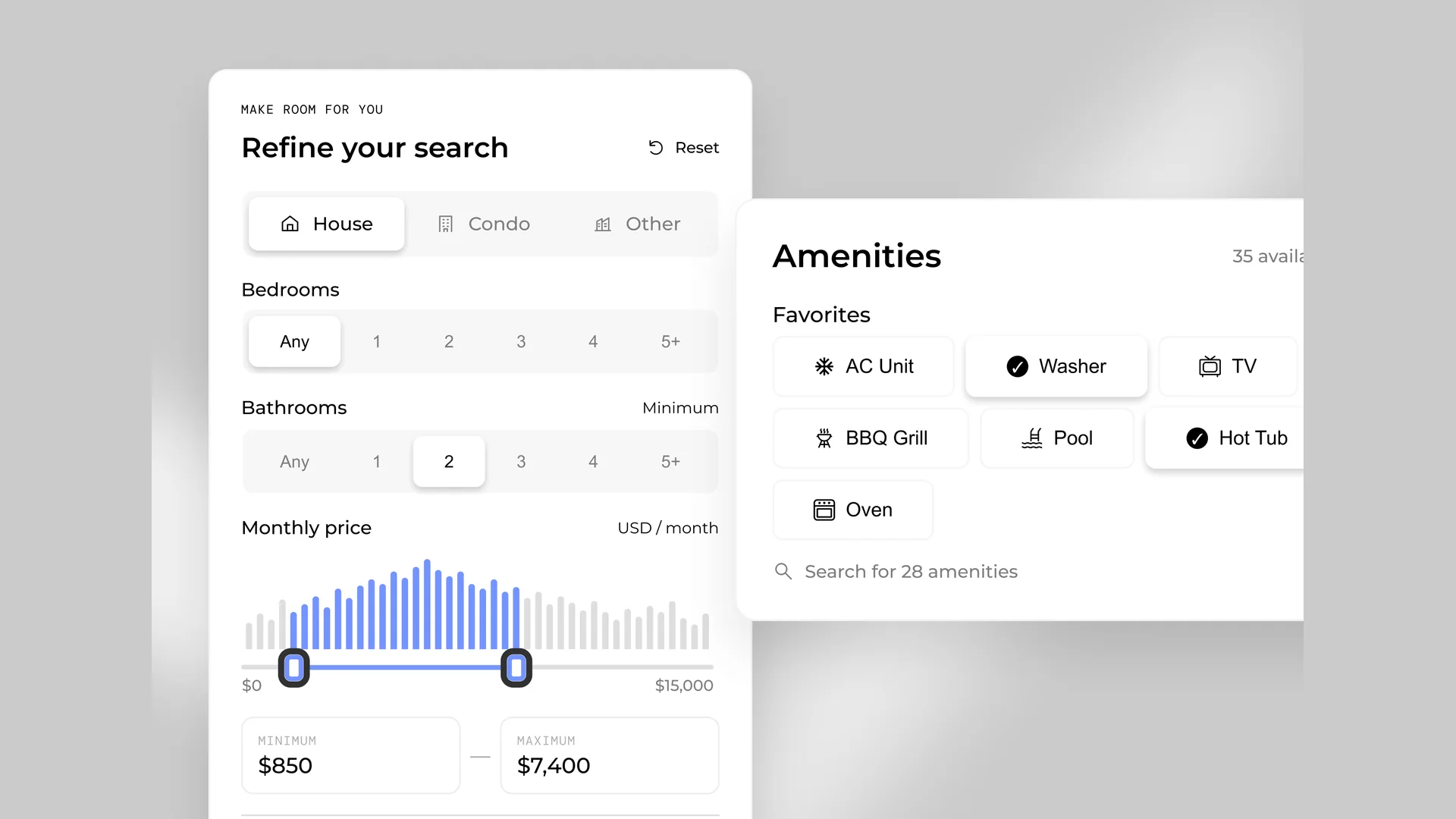
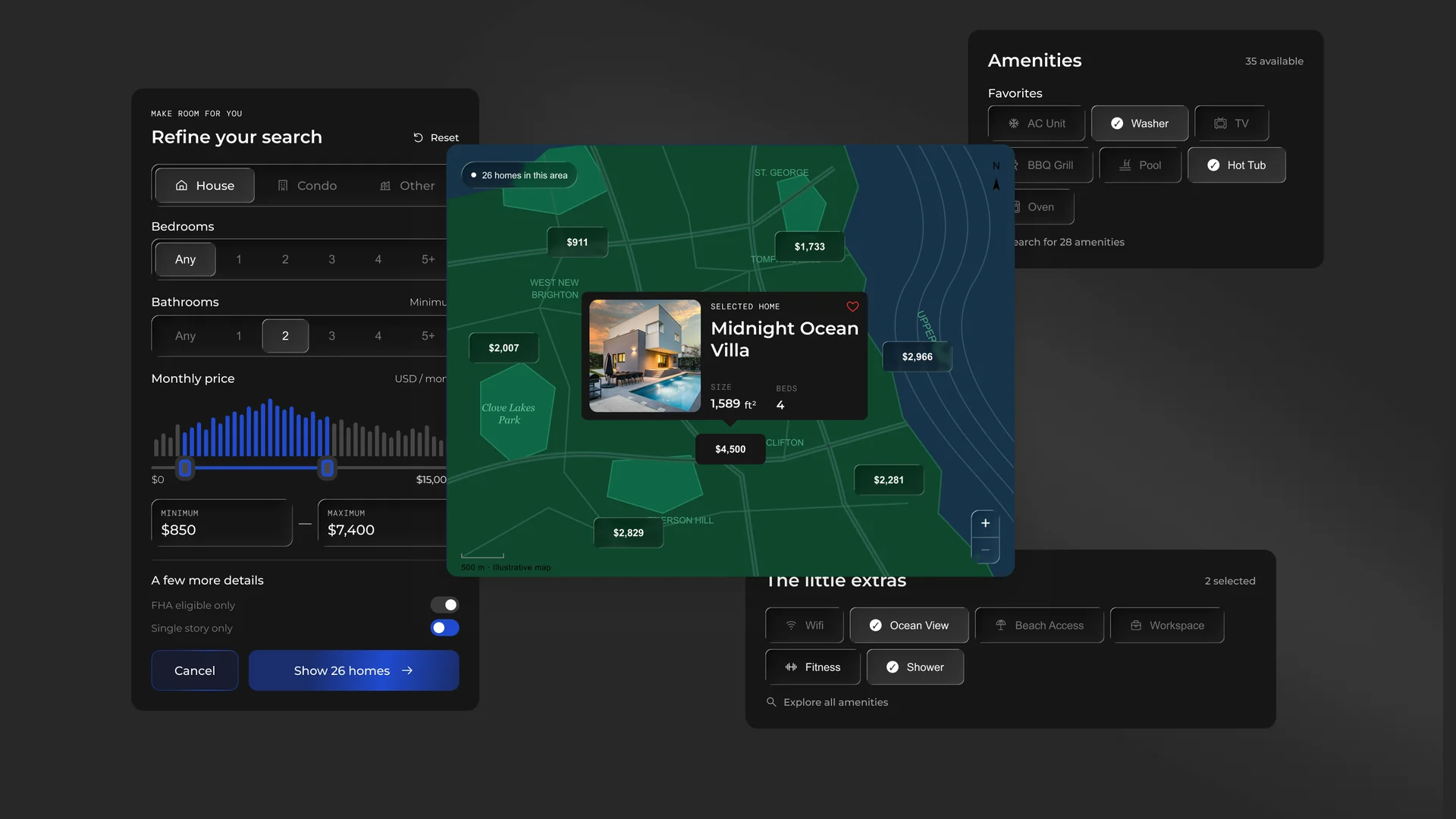
Map & Filter Components is a Figma set for search-and-browse products: real estate, rentals, travel, local services, or anything where results live on a map and users narrow them down. The map surface carries price pins in selected and unselected states, a results-count pill, a zoom control, a scale bar and a floating listing preview card with photo, favourite toggle, title and a size/beds spec row. Alongside it sits the filter side panel: segmented property-type control, bedroom and bathroom number selectors, a price histogram with a dual-handle range slider and min/max inputs, toggle rows for extra criteria, and a paired cancel/apply footer that shows the live result count. Two more panels complete the set: a grouped amenities picker with an available counter, and a compact "extras" chip selector with selected-state marks and a search fallback link. Everything is auto-layout with real states, so a selected chip, a longer label or a fourth filter row behaves instead of breaking. It ships in matched light and dark variants sharing the same structure. Fully editable, images are placeholders you swap for your own.
Highlights
- Crafted to production standard
- Ready to adapt to your own project
- Included with every membership