Calendar App: App Screens for Figma | HorizonX

UI/UX

Calendar App

Mobile calendar and scheduling UI: month, day timeline and event detail screens in editable Figma.

Calendar App, image 3
Calendar App, image 1
Calendar App, image 2
Calendar App, image 3
Calendar App, image 1
  • Instant access Included with every membership
  • Editable Figma source Copy straight to your workspace
  • Commercial license With a membership, for client work

Overview

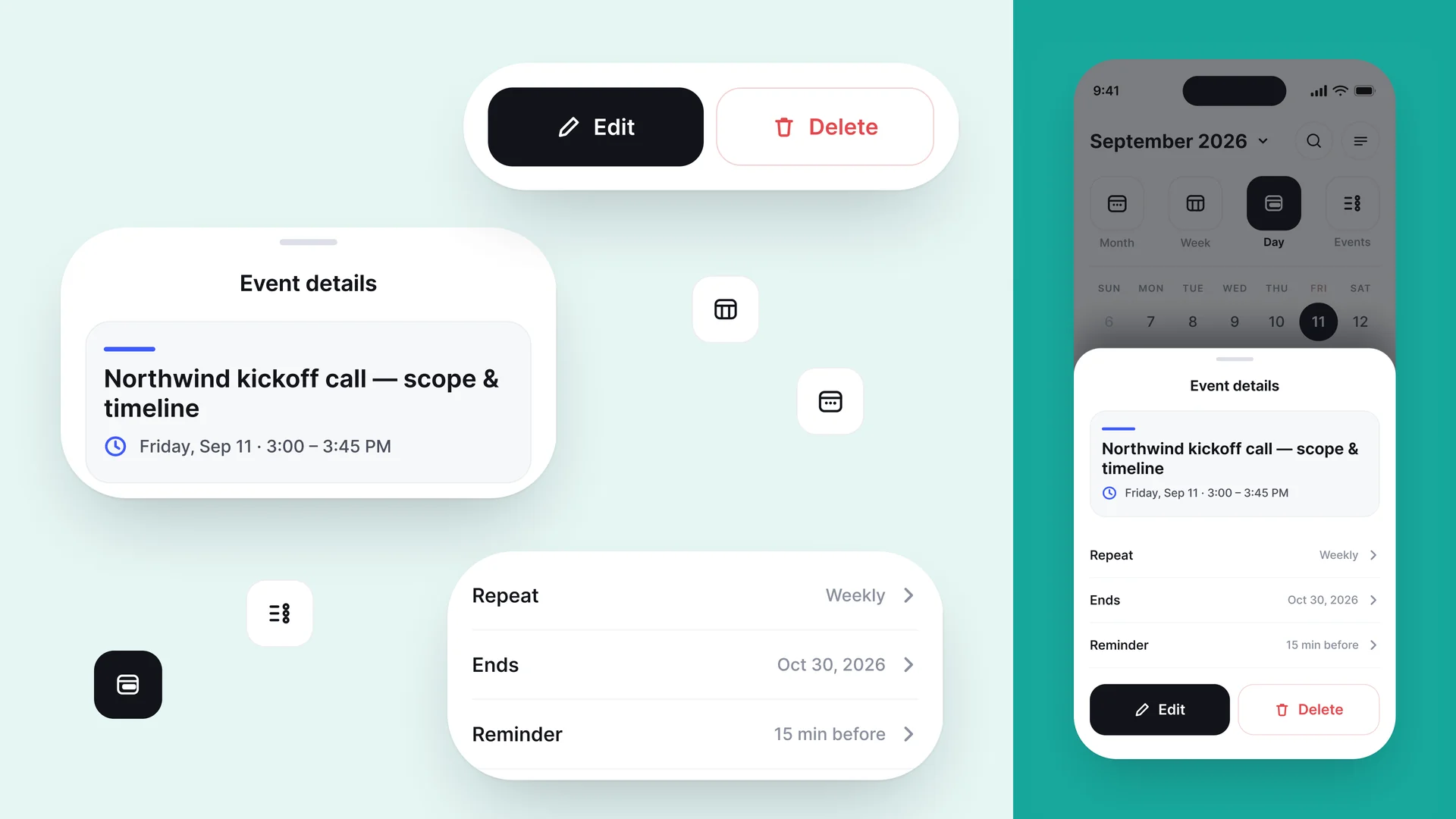
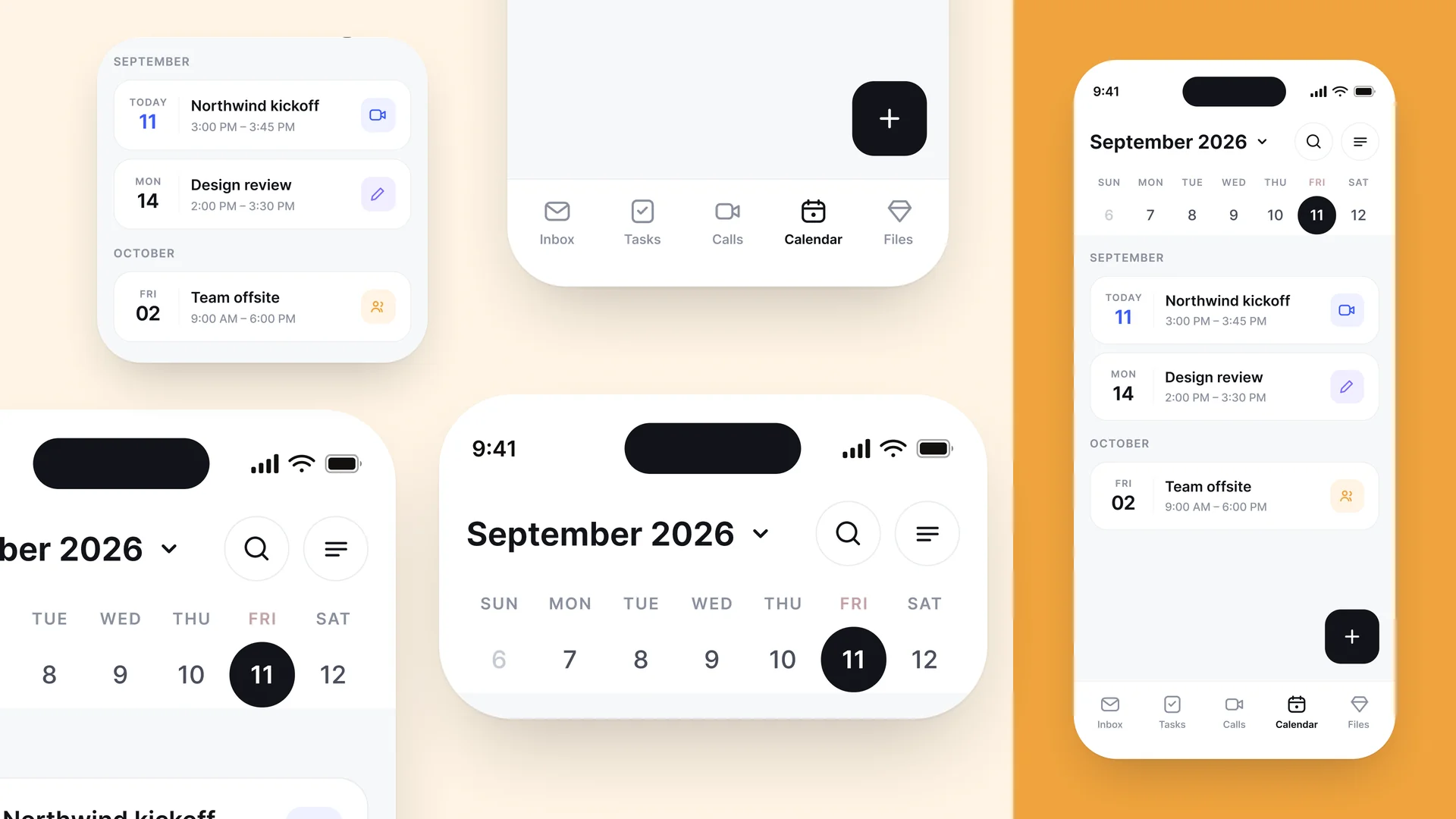
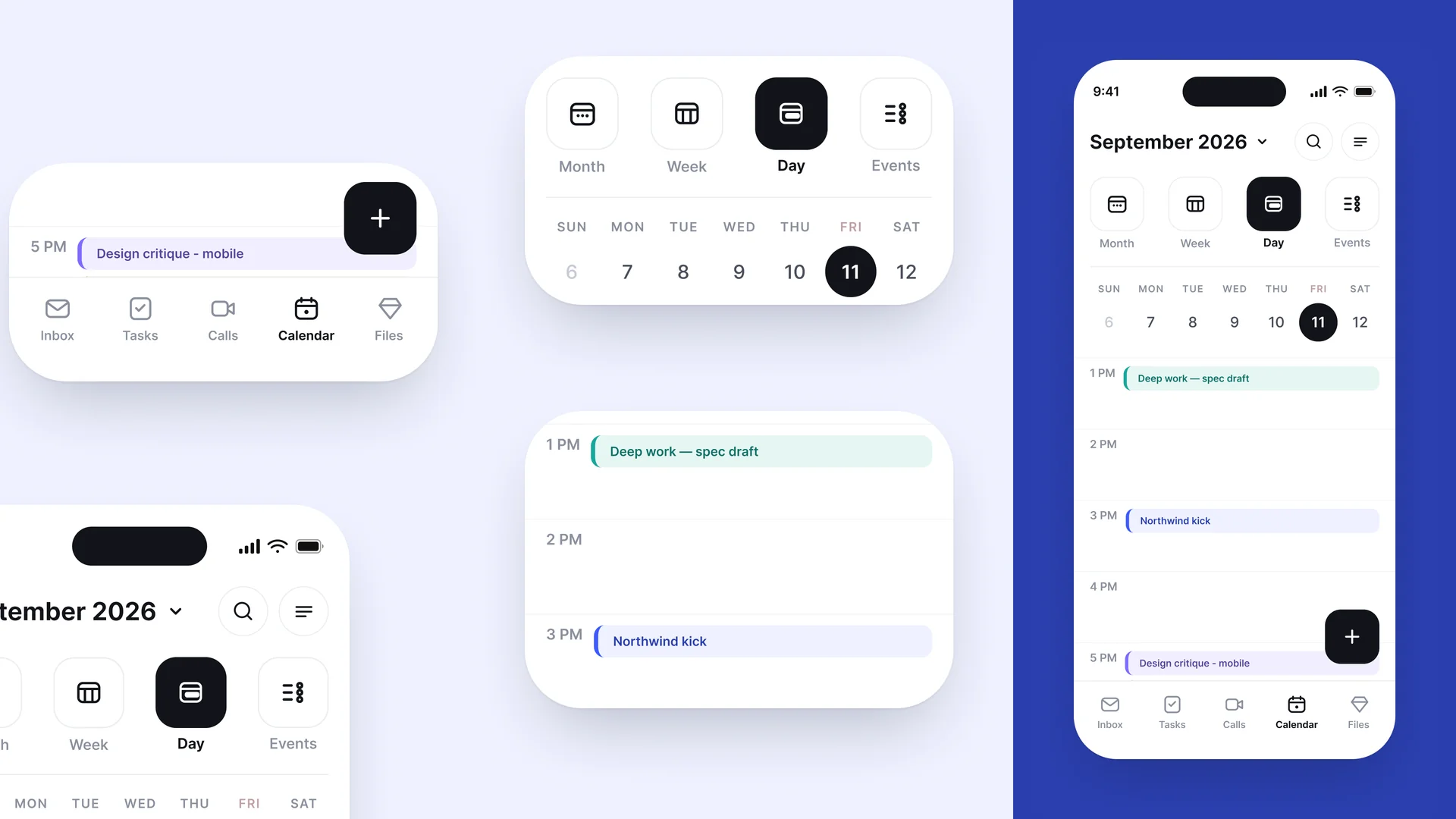
Calendar App is a full mobile scheduling interface in Figma, built on a neutral black-and-white base that lets accent colors carry meaning. It covers the month view with an upcoming agenda list, a Month/Week/Day/Events segmented switcher, an hour-by-hour day timeline with colored event blocks, and a full event-detail sheet with repeat, end date, reminder and edit/delete actions. The segmented control, date strip, agenda rows, timeline blocks, floating action button and bottom nav are all broken out as loose components, so you can restyle the accent palette or assemble new screens without rebuilding the grid.

Highlights

  • Refined, production-ready UI composition
  • Organized, reusable Figma components
  • Clean layout system you can adapt fast
What's included

  • Editable Figma source file
  • Organized layers & components
  • Reusable styles and tokens
  • Commercial license with a membership

Frequently asked questions

  • The editable Figma source for this concept. Copy it into your own workspace and adapt it freely.

  • It's included with a HorizonX membership. Open it and copy it to Figma instantly, no separate purchase.

  • Yes, with a HorizonX membership. Members get a commercial license: use and adapt these files in personal, client and commercial projects. If your plan ends, projects you already built keep their license, but the files can't be used to start new ones.